|
OpenShift Origin 3.7 : Deploy Applications
2018/02/07 |
|
Deploy Applications.
This is the tutorial for common developper users who use Openshift System.
This example is based on the environment like follows.
-----------+-----------------------------------------------------------+------------
           |10.0.0.30                    |10.0.0.51                    |10.0.0.52
+----------+-----------+      +----------+-----------+      +----------+-----------+
|  [  dlp.srv.world ]  |      | [ node01.srv.world ] |      | [ node02.srv.world ] |
|     (Master Node)    |      |    (Compute Node)    |      |    (Compute Node)    |
|     (Compute Node)   |      |                      |      |                      |
+----------------------+      +----------------------+      +----------------------+
|
| [1] | Login with a user who has beed added as an Openshift user on Master Node. |
|
[cent@dlp ~]$ oc login Authentication required for https://dlp.srv.world:8443 (openshift) Username: cent
Password:
Login successful.

You don't have any projects. You can try to create a new project, by running

    oc new-project <projectname>
# create [test-project] project [cent@dlp ~]$ oc new-project test-project
Now using project "test-project" on server "https://dlp.srv.world:8443".

You can add applications to this project with the 'new-app' command. For example, try:

    oc new-app centos/ruby-22-centos7~https://github.com/openshift/ruby-ex.git

to build a new example application in Ruby.
# tag an application image from Docker Hub [cent@dlp ~]$ oc tag --source=docker openshift/deployment-example:v2 deployment-example:latest Tag deployment-example:latest set to openshift/deployment-example:v2. # deploy [deployment-example] application [cent@dlp ~]$ oc new-app deployment-example
--> Found image da61bb2 (2 years old) in image stream "test-project/deployment-example" under
       tag "latest" for "deployment-example"

    * This image will be deployed in deployment config "deployment-example"
    * Port 8080/tcp will be load balanced by service "deployment-example"
      * Other containers can access this service through the hostname "deployment-example"
    * WARNING: Image "test-project/deployment-example:latest" runs as the 'root' user which may not
               be permitted by your cluster administrator

--> Creating resources ...
    deploymentconfig "deployment-example" created
    service "deployment-example" created
--> Success
    Application is not exposed. You can expose services to the outside world by
    executing one or more of the commands below:
     'oc expose svc/deployment-example'
    Run 'oc status' to view your app.
# show status [cent@dlp ~]$ oc status
In project test-project on server https://dlp.srv.world:8443

svc/deployment-example - 172.30.210.173:8080
  dc/deployment-example deploys istag/deployment-example:latest
    deployment #1 deployed 31 seconds ago - 1 pod

View details with 'oc describe <resource>/<name>' or list everything with 'oc get all'.
# describe application [cent@dlp ~]$ oc describe svc/deployment-example Name: deployment-example Namespace: test-project Labels: app=deployment-example Annotations: openshift.io/generated-by=OpenShiftNewApp Selector: app=deployment-example,deploymentconfig=deployment-example Type: ClusterIP IP: 172.30.210.173 Port: 8080-tcp 8080/TCP Endpoints: 10.130.0.6:8080 Session Affinity: None Events: <none> # show Pods status [cent@dlp ~]$ oc get pods NAME READY STATUS RESTARTS AGE deployment-example-1-dv2fh 1/1 Running 0 2m # access to the ClusterIP to verify working [cent@dlp ~]$ curl 172.30.210.173:8080 <!DOCTYPE html> <html lang="en"> <head> <meta charset="utf-8"> <title>Deployment Demonstration</title> ..... ..... </head> <body> <div class="box"><h1>v2</h1><h2></h2></div> </body> # if delete application, run like follows [cent@dlp ~]$ oc delete all -l app=deployment-example deploymentconfig "deployment-example" deleted pod "deployment-example-1-dv2fh" deleted service "deployment-example" deleted [cent@dlp ~]$ oc get pods No resources found. |
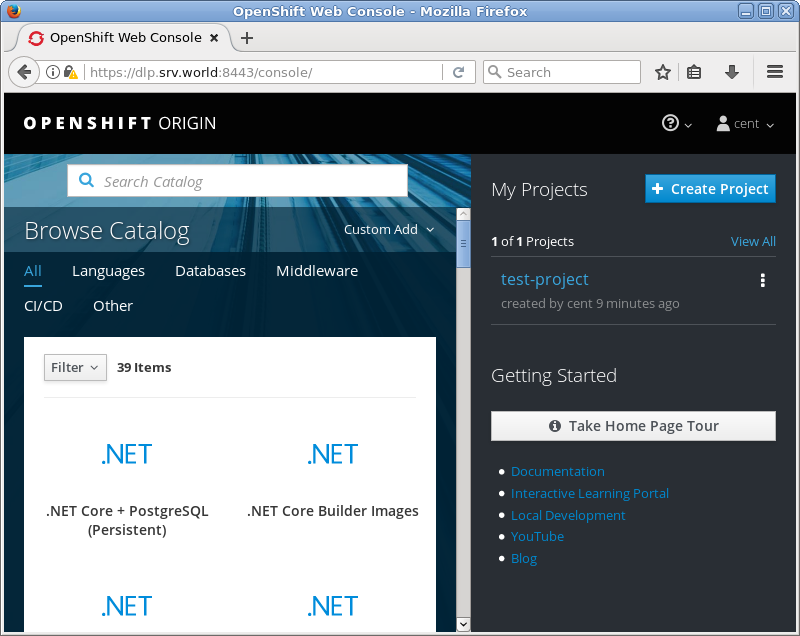
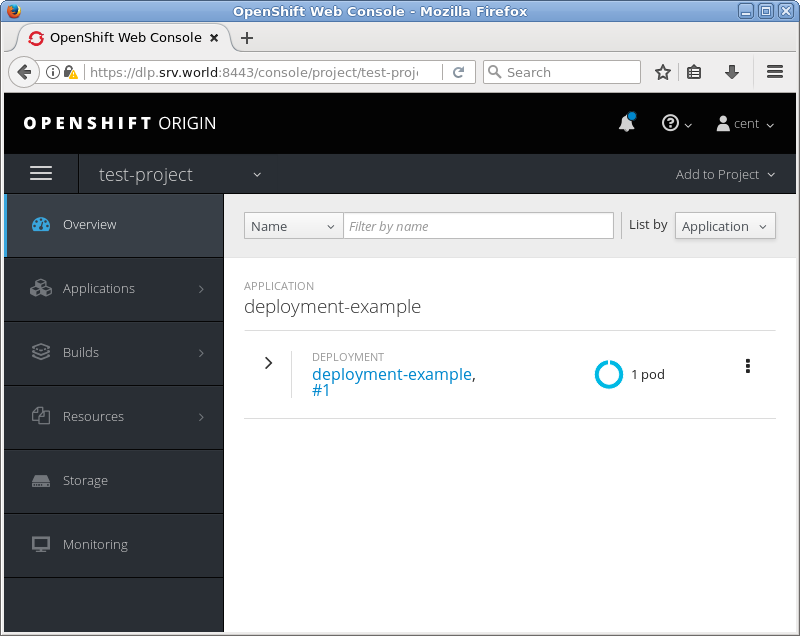
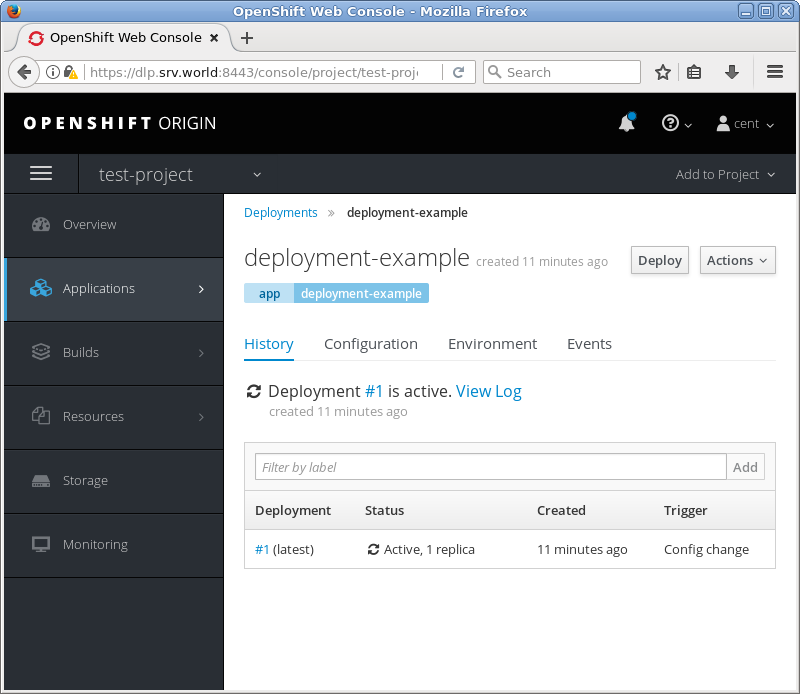
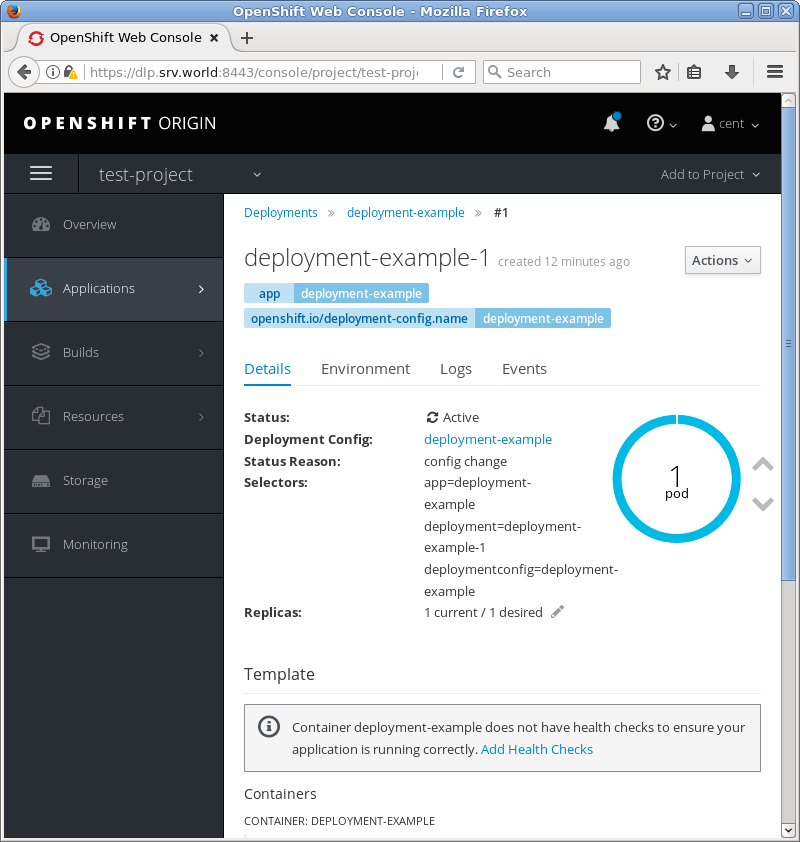
| [2] | It's also possible to verify status of application on OpenShift admin console. |
|
|
|
|